
Mindblowing AI Image Upscaler! Krea ai

Re: Mindblowing AI Image Upscaler! Krea ai
Here are some more tell me guys if you like
- Attachments
-
- IMG_1653.PNG (4.58 MiB) Viewed 8798 times
-
- ww1825-enhanced.png (1.92 MiB) Viewed 8798 times
-
- IMG_1861.PNG (3.46 MiB) Viewed 8798 times


Re: Mindblowing AI Image Upscaler! Krea ai
Beautiful. I liked the 2nd one best, since she kinda looks like Megan Fox.HeroPerilFanatic wrote: ↑2 years agoHere are some more I made with Krea AI. I think they turned out good. I still have issues with hands or depicting multiple characters in an image.
-
sensualbarbarian
- Sargeant 1st Class

- Posts: 210
- Joined: 6 years ago
Re: Mindblowing AI Image Upscaler! Krea ai
I ran some of my OC (Poser versions) thru KreaAI today.
City witch Asha Dangar from Synne City

Ms Patriot from Grimme City

City witch Asha Dangar from Synne City
Ms Patriot from Grimme City
Last edited by DonShip 2 years ago, edited 1 time in total.
Re: Mindblowing AI Image Upscaler! Krea ai
Asha from Synne City Heriones. City Witch

Justice Girl (by Angelic Kitten)


Justice Girl (by Angelic Kitten)

Re: Mindblowing AI Image Upscaler! Krea ai
I'm am very impressed by the results.
Now that was all with the free version while I test it out. If I pay for a higher version, while I be able to do more than just recreate poses like the above, or can I change things about them?
What about create new characters?
Now that was all with the free version while I test it out. If I pay for a higher version, while I be able to do more than just recreate poses like the above, or can I change things about them?
What about create new characters?
-
HeroPerilFanatic
- Neophyte Lvl 4

- Posts: 32
- Joined: 5 years ago
Re: Mindblowing AI Image Upscaler! Krea ai
Creating new characters is tough. I have not figured out how to do it. I have the full paid version and got better results though compared to free version. Here's what I do:
1. I find a photograph that has the desired pose or scenario.
2. I'll enhance it to make it look photo realistic - The software has a hard time with sex scenes, hands, feet, and multiple characters.
3. Once I have the desired photo, I'll open it up in Photoshop and add the costume. It's tedious but seems to work.
If you want, DM me a photo and tell what you want to see. I've had some luck in being able to get the AI to generate realistic photos out of simple line art with models that resemble celebrities like Megan Fox.
Re: Mindblowing AI Image Upscaler! Krea ai
I appreciate that, but I don't have any specific poses I want right now. I'm just playing around with it today. I thought AI would just regurgerate variations on the same image ad nausem, with slightly different versions/poses/etc... KreaAI free version doesn't do that, or I haven't been able to get it to do it. It just gives me a more realisitc version of the picture.HeroPerilFanatic wrote: ↑2 years agoCreating new characters is tough. I have not figured out how to do it. I have the full paid version and got better results though compared to free version. Here's what I do:
1. I find a photograph that has the desired pose or scenario.
2. I'll enhance it to make it look photo realistic - The software has a hard time with sex scenes, hands, feet, and multiple characters.
3. Once I have the desired photo, I'll open it up in Photoshop and add the costume. It's tedious but seems to work.
If you want, DM me a photo and tell what you want to see. I've had some luck in being able to get the AI to generate realistic photos out of simple line art with models that resemble celebrities like Megan Fox.
I tried copilot, and I got some really great fantasy warrior elfmaids, but I want my own super heroines and It won't let me upload photos.
-
sugarcoater

- Millenium Member

- Posts: 1242
- Joined: 18 years ago
Re: Mindblowing AI Image Upscaler! Krea ai
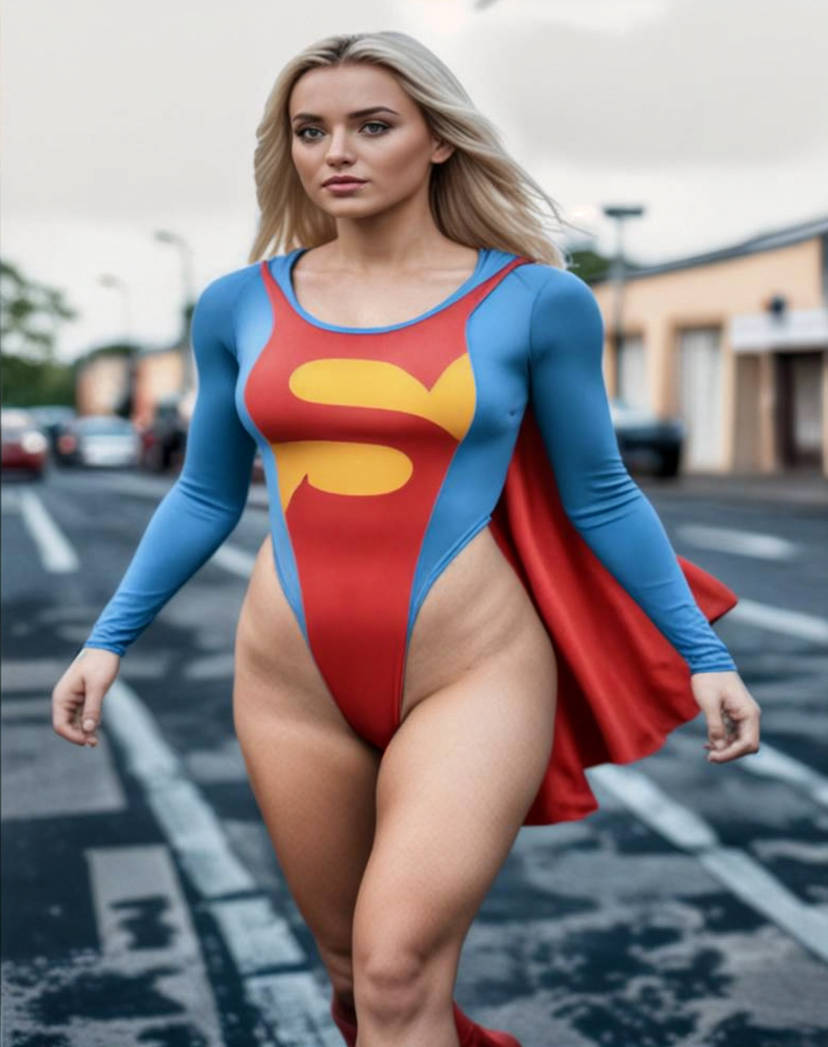
How did you manage to use the higher-cut style for the costume? I would like to try and do that for some of the images I've created. If you can share any tips, they would be very much appreciated!HeroPerilFanatic wrote: ↑2 years agoKrea AI has been hit or miss for me so far. I dig it though.
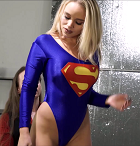
Here's my best one so far. I used this screenshot from Rye's The Parolee IV to make this sexy model.
If you notice, I was able to make the costume more high cut and the blue color closer to Superman's costume from the Christopher Reeve movies.

-
HeroPerilFanatic
- Neophyte Lvl 4
- Posts: 32
- Joined: 5 years ago
Re: Mindblowing AI Image Upscaler! Krea ai
I used the cloning and healing tool in Photoshop to alter the cut of the costume. The cloning tool allowed me to copy the skin of the model and alter the cut of the costume. I then saved the altered image and ran it through Krea AI. Your altered image does not have to be perfect. The AI fixes any errors.sugarcoater wrote: ↑2 years ago
How did you manage to use the higher-cut style for the costume? I would like to try and do that for some of the images I've created. If you can share any tips, they would be very much appreciated!
-
HeroPerilFanatic
- Neophyte Lvl 4
- Posts: 32
- Joined: 5 years ago
Re: Mindblowing AI Image Upscaler! Krea ai
AI generated image with two characters. It was a pain to get the male character’s hand looking at least somewhat normal.
- Attachments
-
- IMG_3833.png (5.43 MiB) Viewed 8715 times
Re: Mindblowing AI Image Upscaler! Krea ai
Looks like one of the major models for home image generation has jumped the shark, Stable Diffusion decided they wanted to try to monetise what had been free, and they blew it big time.
-
HeroPerilFanatic
- Neophyte Lvl 4
- Posts: 32
- Joined: 5 years ago
Re: Mindblowing AI Image Upscaler! Krea ai
I made this one today, using one of your pictures as a reference. What do you all think?
- Attachments
-
- IMG_1377.PNG (5.52 MiB) Viewed 8589 times
-
- Wonder Woman tied.png (12.27 MiB) Viewed 8589 times
Re: Mindblowing AI Image Upscaler! Krea ai
It’s nice and I am happy that my picture gives you ideas
Here are some more
Here are some more
- Attachments
-
- IMG_2012.PNG (5.02 MiB) Viewed 8576 times
-
- IMG_2048 2.PNG (10.32 MiB) Viewed 8576 times
-
HeroPerilFanatic
- Neophyte Lvl 4
- Posts: 32
- Joined: 5 years ago
Re: Mindblowing AI Image Upscaler! Krea ai
Awesome.
Now, I just tried to enhance a few AI generated images that I copied from FB, of hot elf babes, and KreaAI wouldn't enhance them. It turned the image red and put a triangle with an "!" on the image.
WTF? I have no idea why. This has never happened before. All three were .jpg images.